




✨ Introduction #
When associates join Kaamfu, their dashboard looks slightly different from organization owners or managers. This article explains what a newly joined associate sees upon first login and how their Work Panel evolves once tasks or projects are assigned.
🎯 Why This is important? #
The first-time experience ensures that associates clearly understand their starting point in Kaamfu. By providing a blank and clutter-free view until they’re assigned work, associates can:
- Avoid confusion with unnecessary preloaded content.
- Focus only on the tasks, boards, and spaces relevant to them.
- Quickly adapt to the Kaamfu environment without distractions.
This structured onboarding experience helps new associates start fresh and become productive once assignments begin.
👤 Who Should Read This #
This article is designed for:
- Newly joined associates who just completed sign-up.
- Team leads and managers who want to understand how associates experience the dashboard.
It ensures both associates and managers know what to expect from the associate’s perspective.
📝 What This Guide Covers #
Here’s what you’ll learn in this article:
- What the associate sees immediately after signing up.
- How the Work Panel looks before assignments.
- How the dashboard changes once tasks, boards, or spaces are assigned.
This gives associates clarity on their starting view and what changes as they get involved in work
📄 Feature Overview #
After completing the sign-up procedure, associates land directly on the Kaamfu Dashboard.
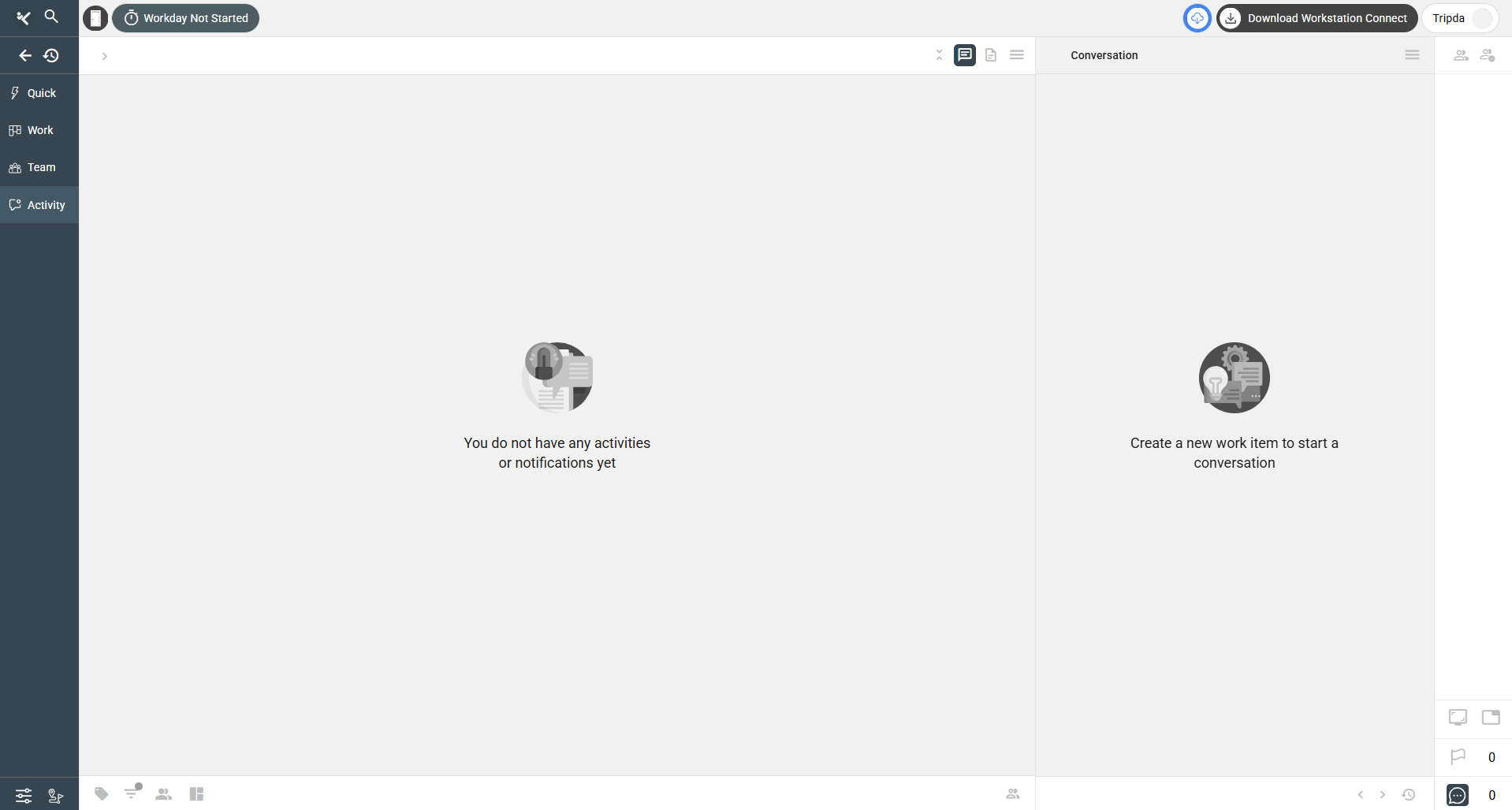
- Initial State → The dashboard is blank, showing no tasks, spaces, or boards until work is assigned.
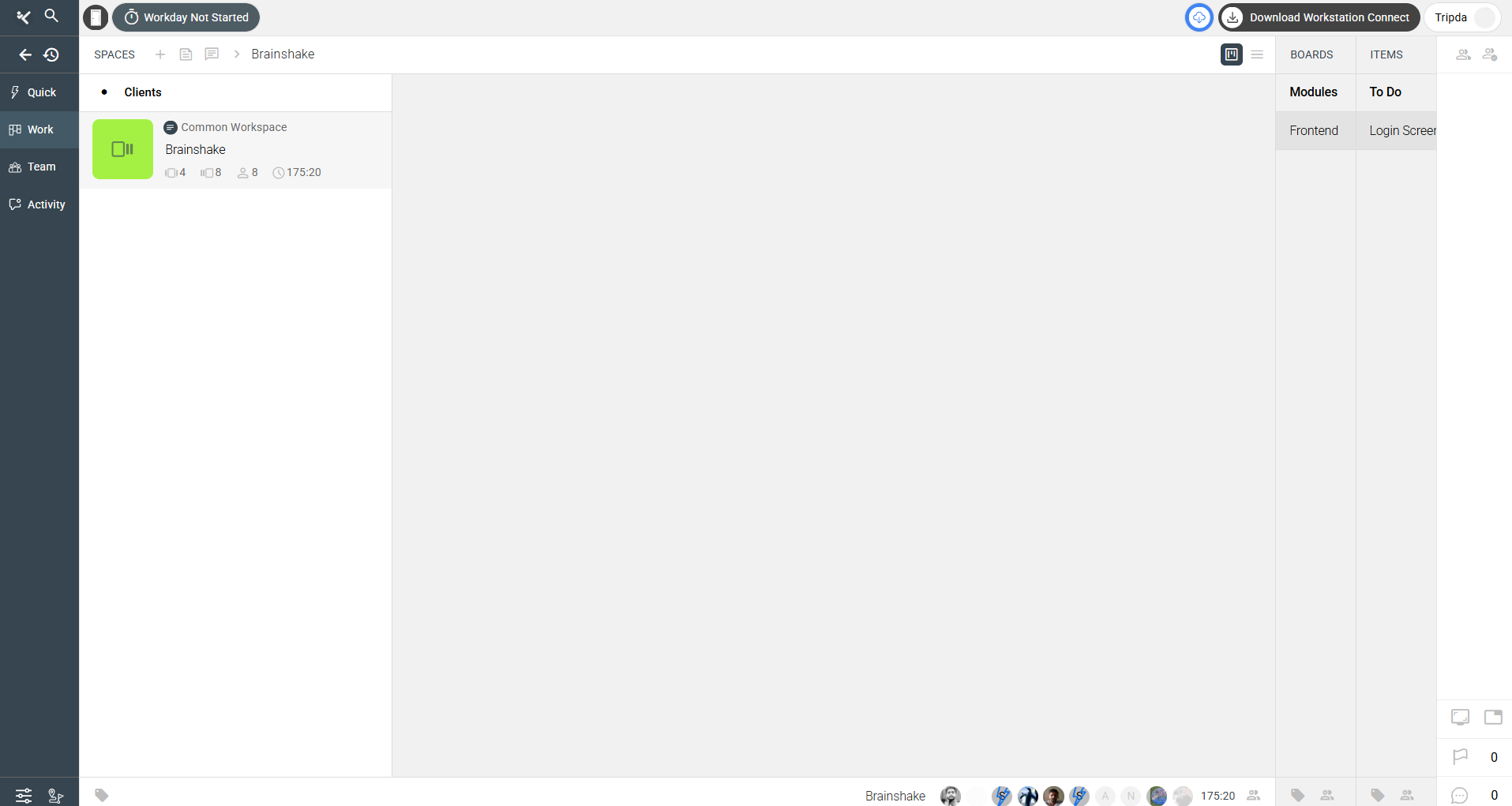
- Assigned State → Once tasks, boards, or spaces are assigned, the associate begins seeing them appear in their Work Panel along with related conversations.
This clear transition ensures that associates always have a workspace tailored to their responsibilities.
💡 Key Benefits #
This structured experience benefits associates in several ways:
- Clarity → Associates know exactly where they stand upon login.
- Simplicity → The dashboard remains clean until relevant work is assigned.
- Focus → Only assigned tasks and boards show up, reducing distractions.
This ensures a smooth and intuitive start for every new associate.
👀 First-Time Experience #
When associates first log in:
- They see a blank dashboard with no spaces, boards, or tasks.
.
 .
.
- As soon as managers assign work, the Work Panel populates with relevant Spaces, Boards, and Items
.
.
This progression helps associates quickly shift from orientation to action.
🔗 Related Resources #
Here are other useful articles to understand the onboarding experience:
- What Does a Newly Joined Org Owner See in the Work Panel?
- [Exploring the Work Panel in Kaamfu]
These articles complement the associate’s view by explaining other roles and how the Work Panel functions overall.