




The conversations panel sometimes gets stuck on a loading spinner and never displays your conversations, even after a refresh. This happens when Chrome is holding outdated site data for kaamfu.ai. Clearing that data and reloading the page fixes it in under a minute.
What This Looks Like #
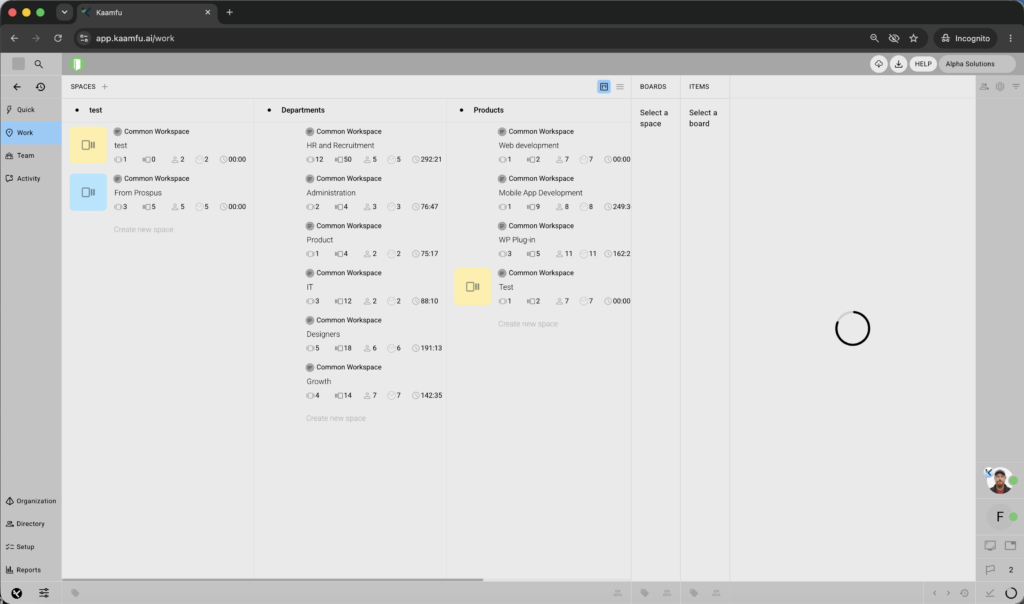
When this issue occurs, the loading spinner keeps turning without ever completing, and it can show up in more than one place at once. You may see it on the active left panel, on the Conversations panel on the right, and on the Activity Queue loader in the bottom right corner. Refreshing the page does not stop it. The spinners keep loading no matter how many times you reload.
Why This Happens #
Chrome stores third-party cookies and site data to keep your Kaamfu session active. When that data becomes stale or conflicts with a new session, the conversations panel keeps trying to connect but never finishes loading. Deleting the stored site data forces Chrome to start a fresh session, which clears the spinner.
Step-by-Step Instructions #
Clear the site data and refresh the browser using the steps below:
Step 1: Open Chrome Settings #
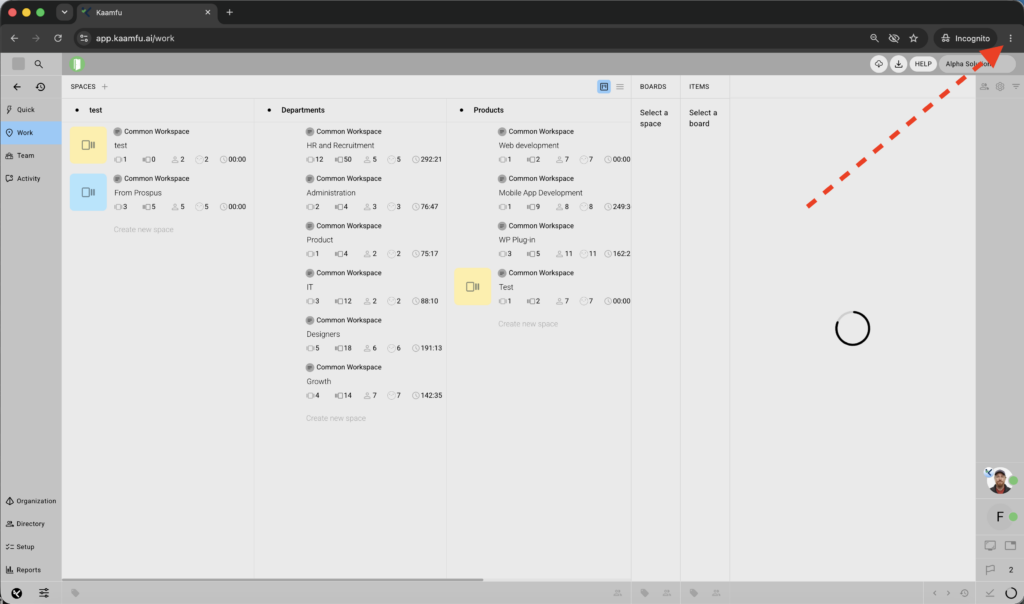
Click the three-dot menu in the top right corner of Chrome and select Settings.
Step 2: Go to Privacy and Security #
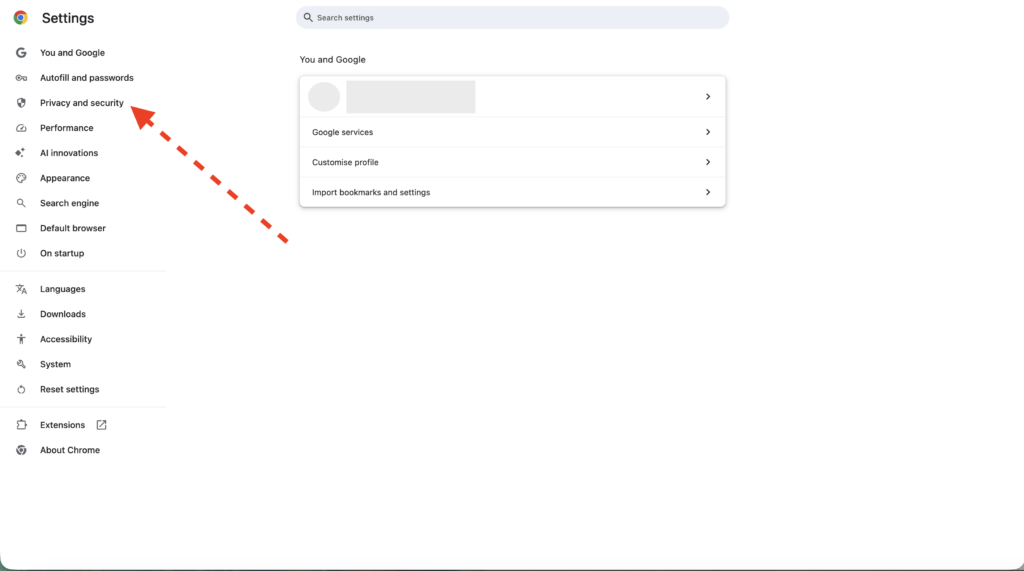
Select Privacy and security from the left sidebar.
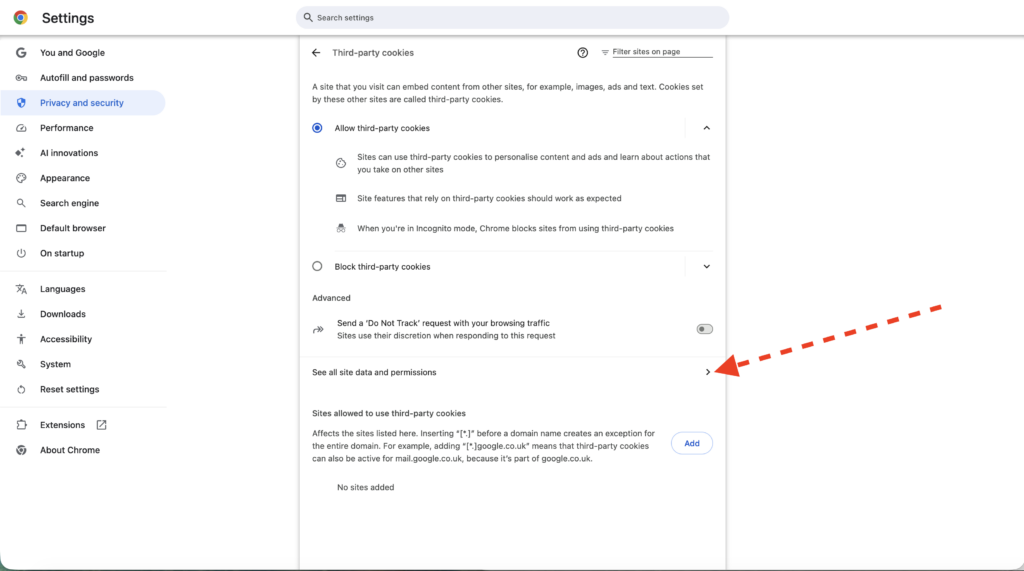
Step 3: Open Third-Party Cookies #
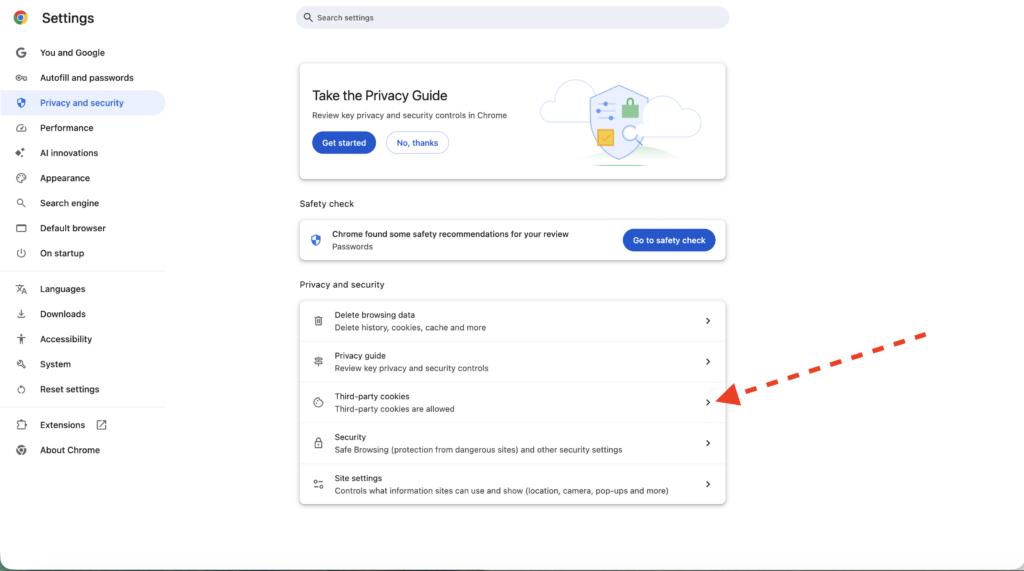
Select Third-party cookies.
Step 4: See All Site Data and Permissions #
Select See all site data and permissions.
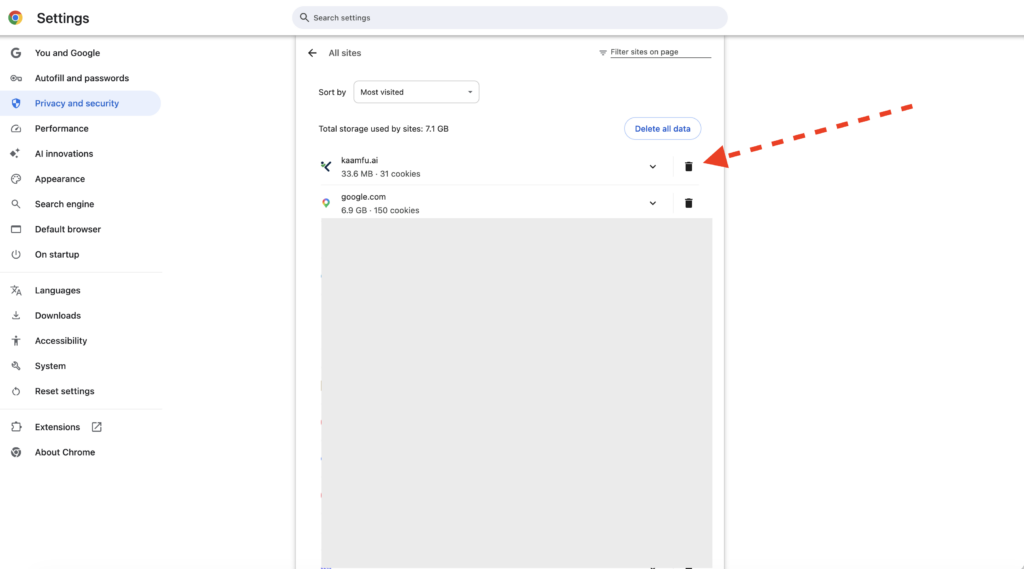
Step 5: Delete Site Data for kaamfu.ai #
Search for kaamfu.ai in the site list and delete its stored data.
Step 6: Refresh the Browser #
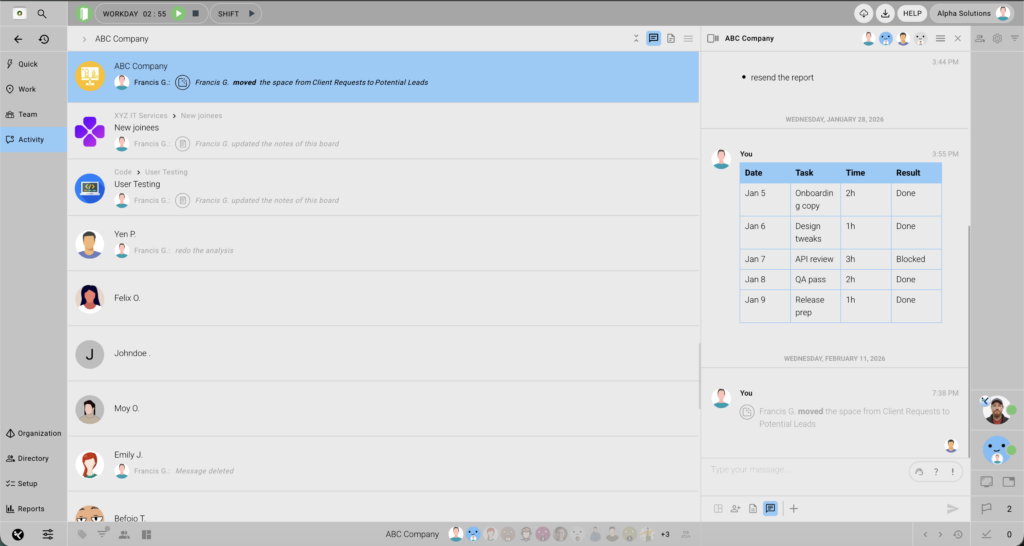
Once refreshed, the conversations panel loads without getting stuck on the spinner.
A stuck panel almost always comes down to outdated site data in Chrome, not an issue with your account or your data. Clearing that data and refreshing the browser resolves it in under a minute, and this same infinite spinner can show up on other panels too, including Activity, Work, and Team, where the same steps resolve it just as well.