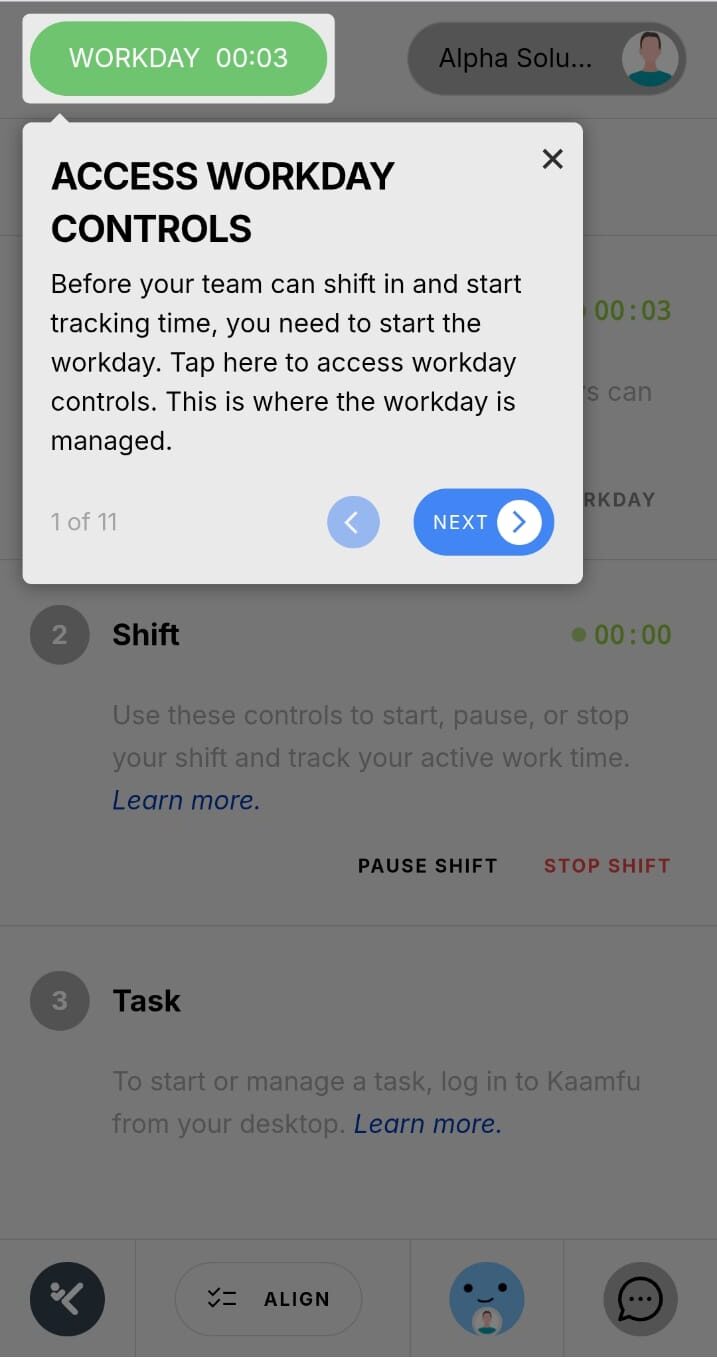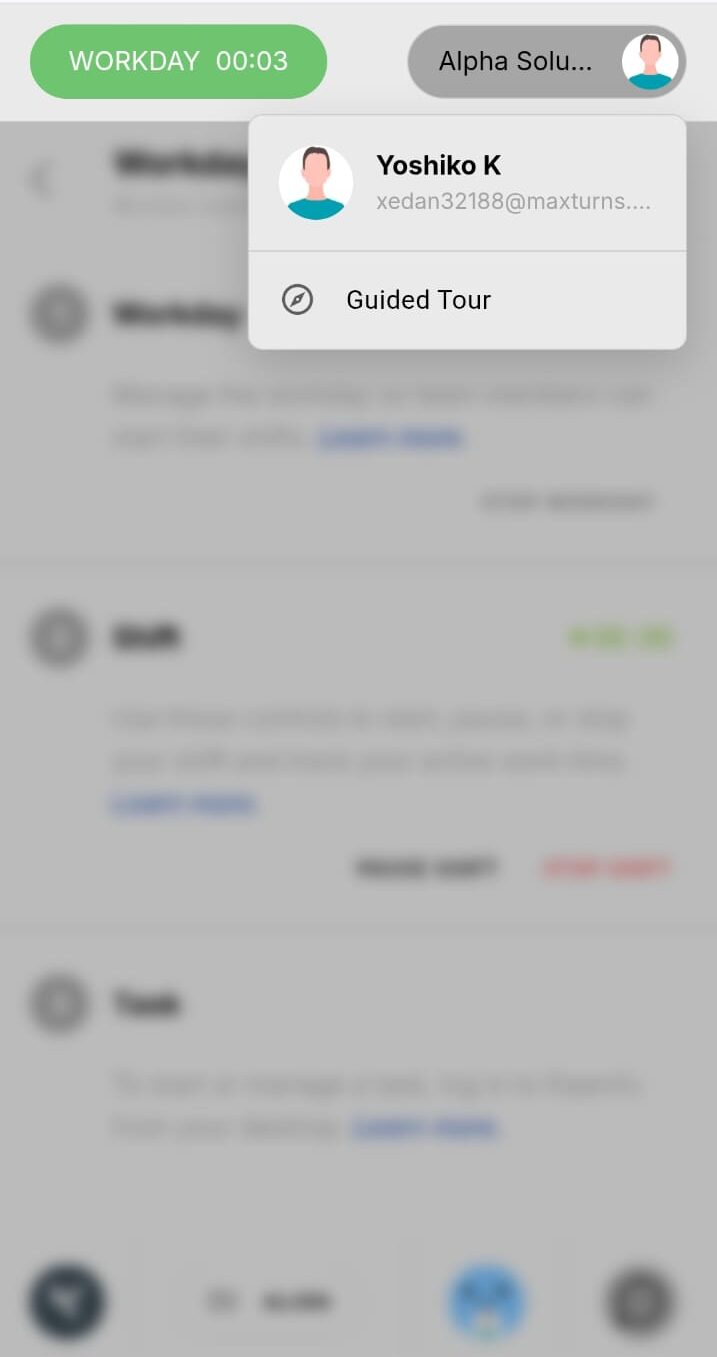



Kaamfu Mobile Web v1.0 focuses on enabling the most important early and daily actions. The goal is not to replicate the full desktop interface immediately, but to support momentum, orientation, and continuity of work. The features available today are foundational, and each is designed to expand over time.
Starting the Workday
The workday is the primary control point for activity in Kaamfu, and it is fully supported on mobile.
How it works
Starting the workday from mobile follows a clear, visible flow:
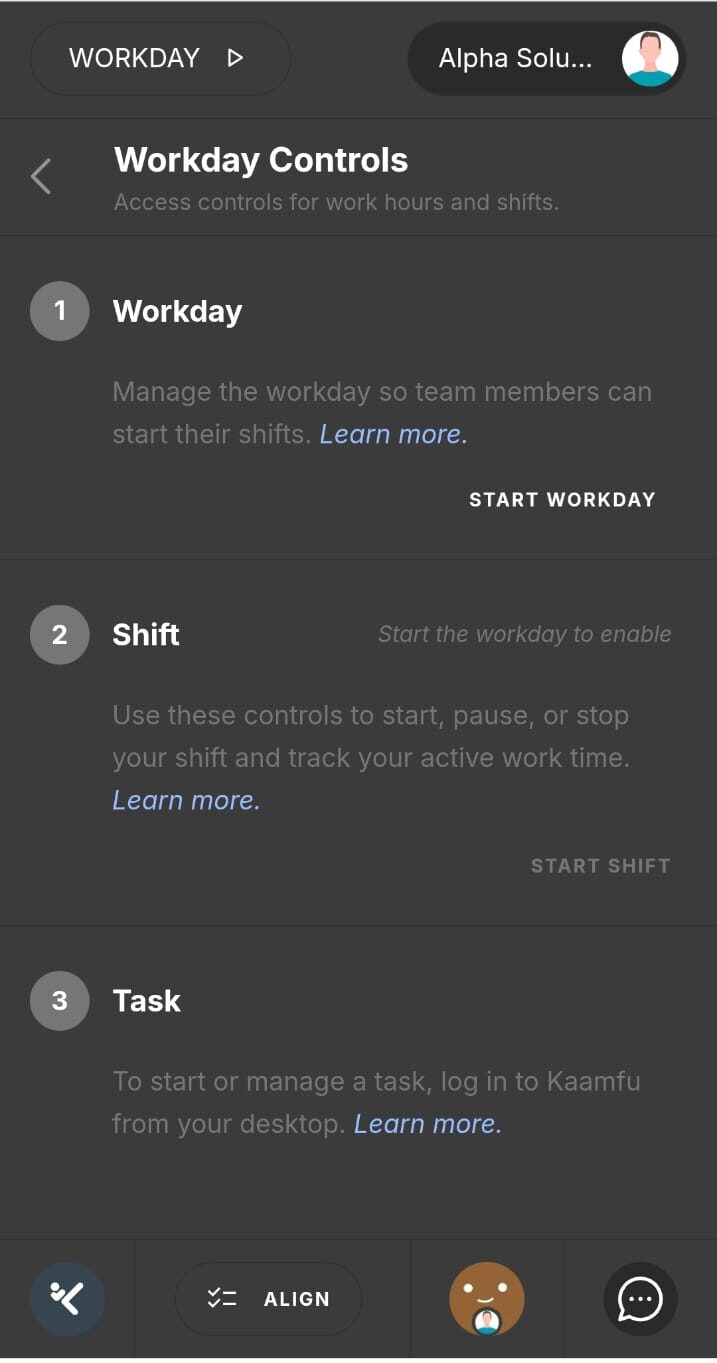
- Click theWorkday button in the top header on the left
- The Workday Controls page opens
- Click Start workday
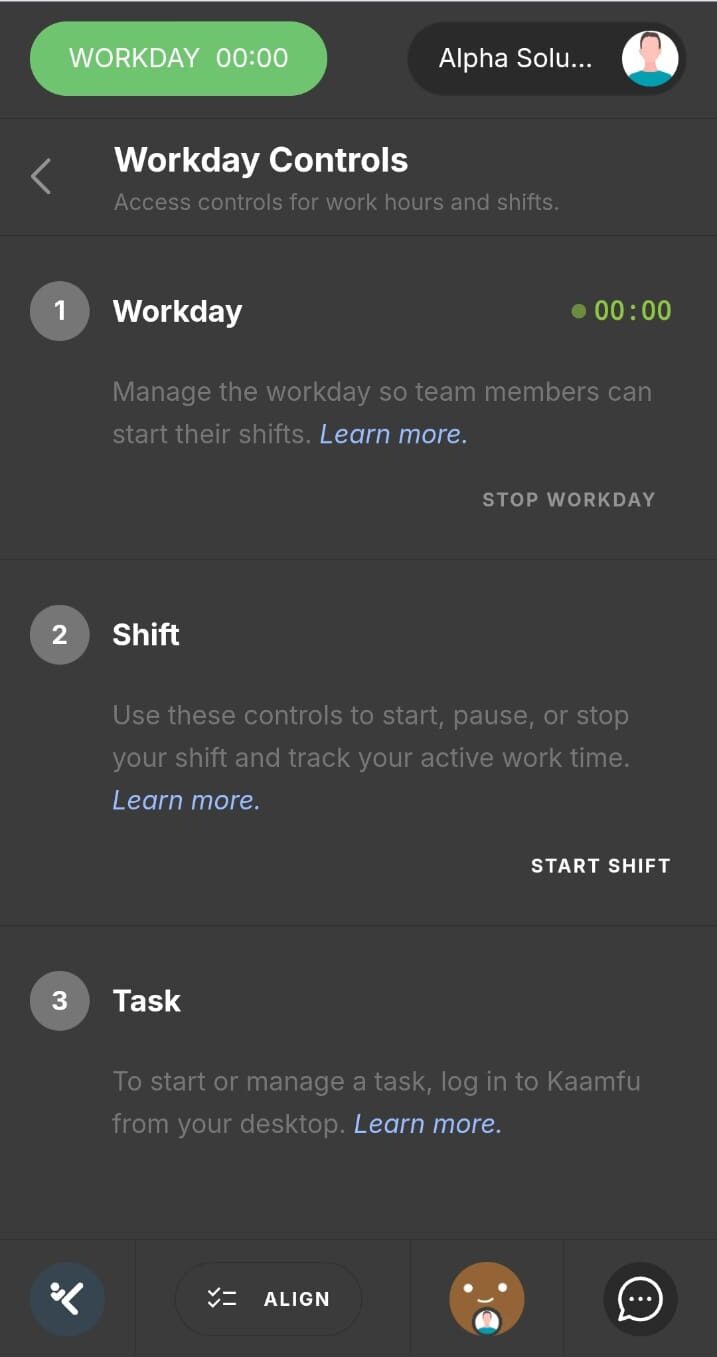
- The workday begins
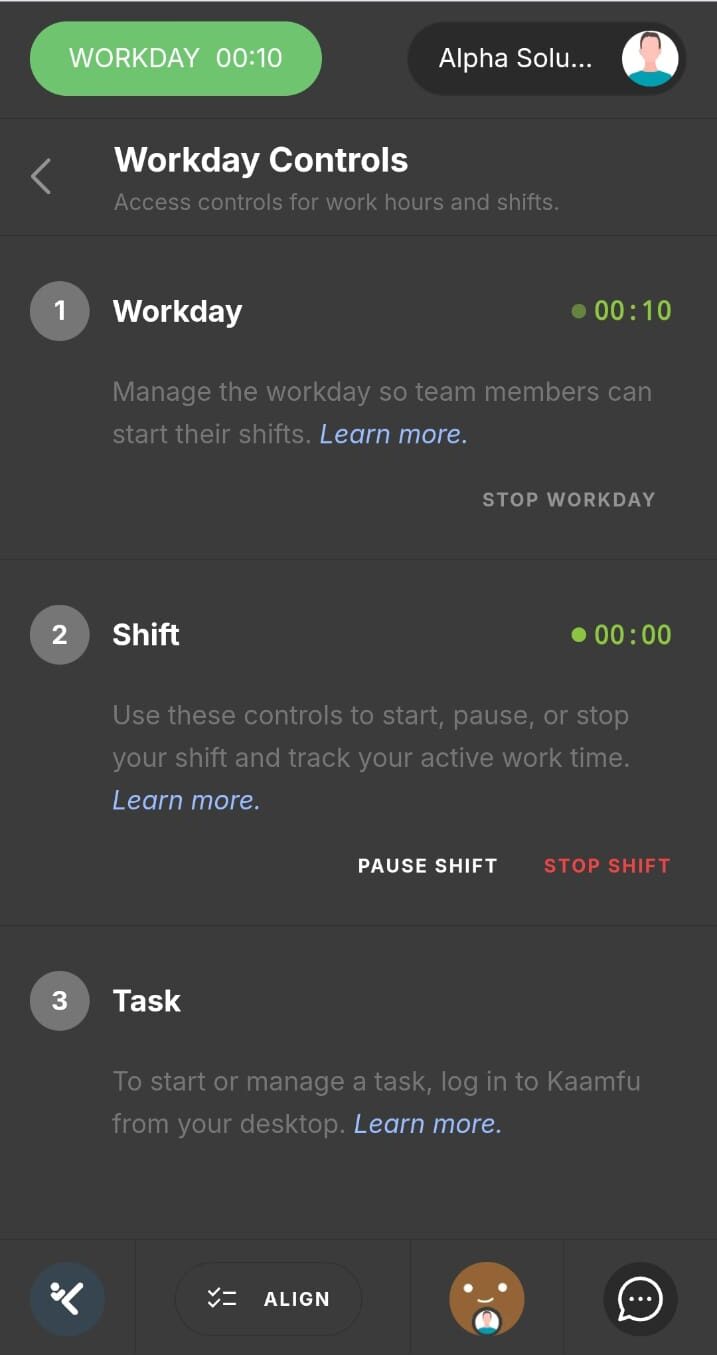
Once started, a timer appears both on the Workday Controls page and in the top header so progress is always visible. The workday status syncs live with the web interface. Stopping the workday will end your shift and the shifts of all active members.
Starting a Shift
After the workday has started, users can begin their shift directly from the mobile website.
How it works
Shifting in from mobile follows the same control flow:
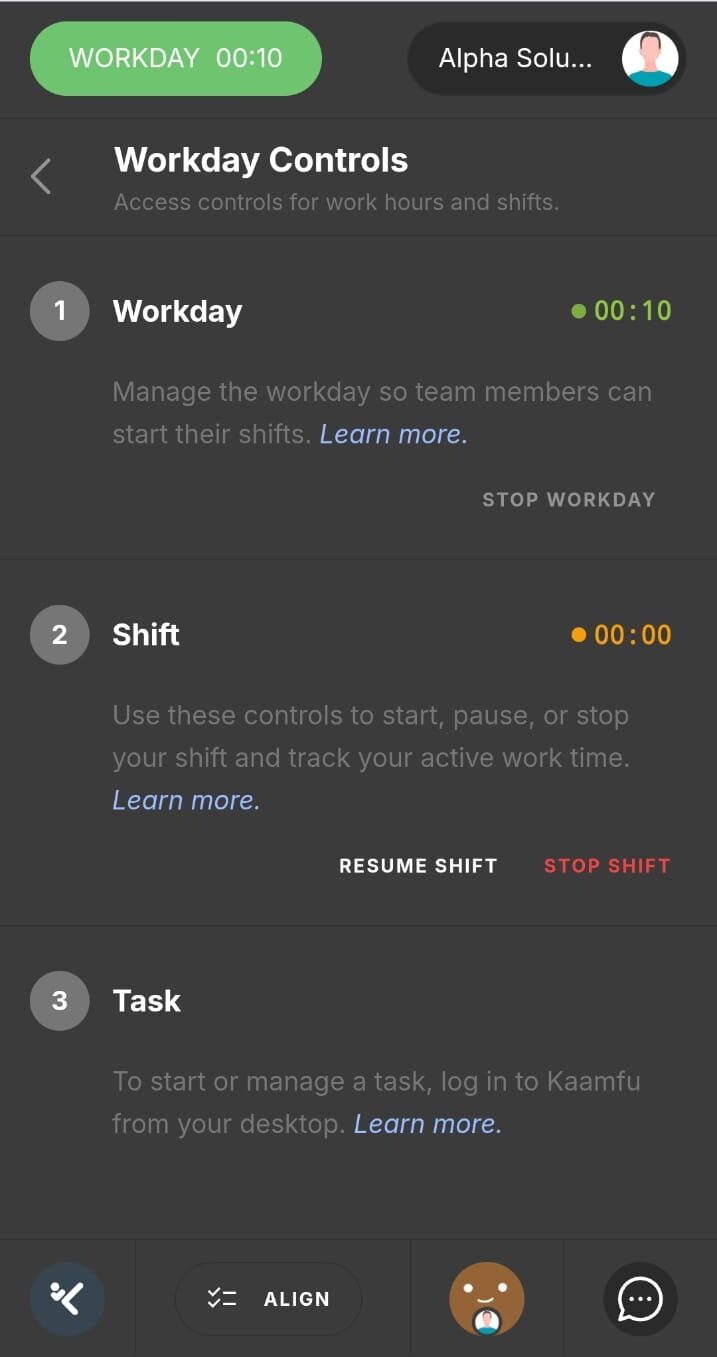
- Open the Workday Controls page
- Click Start shift
- Your shift is now active
- Use the pause shift, resume shift, and stop shift controls as you progress with your day.
Once the workday is active, team members can also shift in.
At this stage, task actions are still handled on desktop. Task controls will be added to the mobile website in a future update.
Accessing Align on Mobile
The mobile website includes a streamlined version of Align that supports onboarding, understanding, and guided progression.
How it works
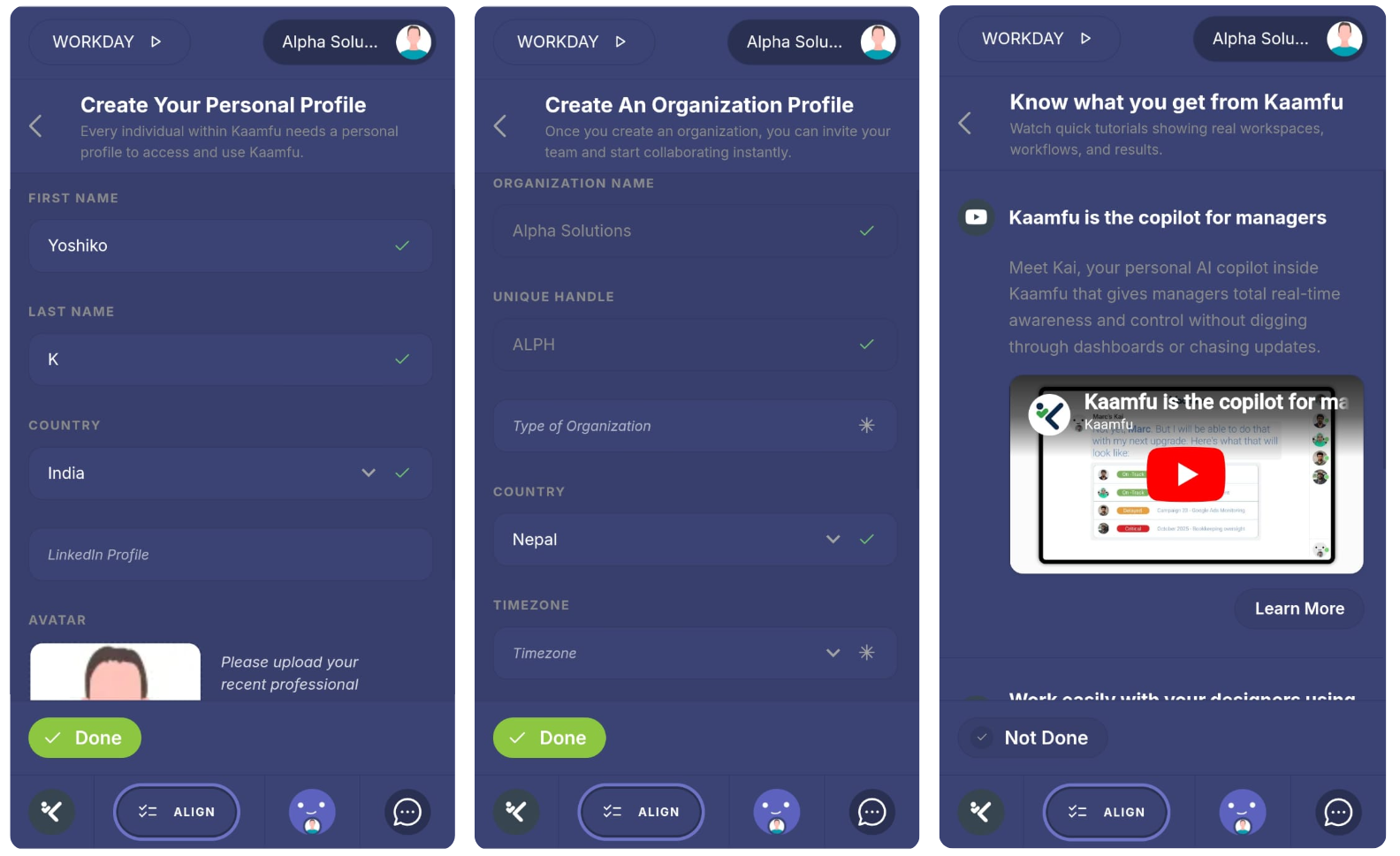
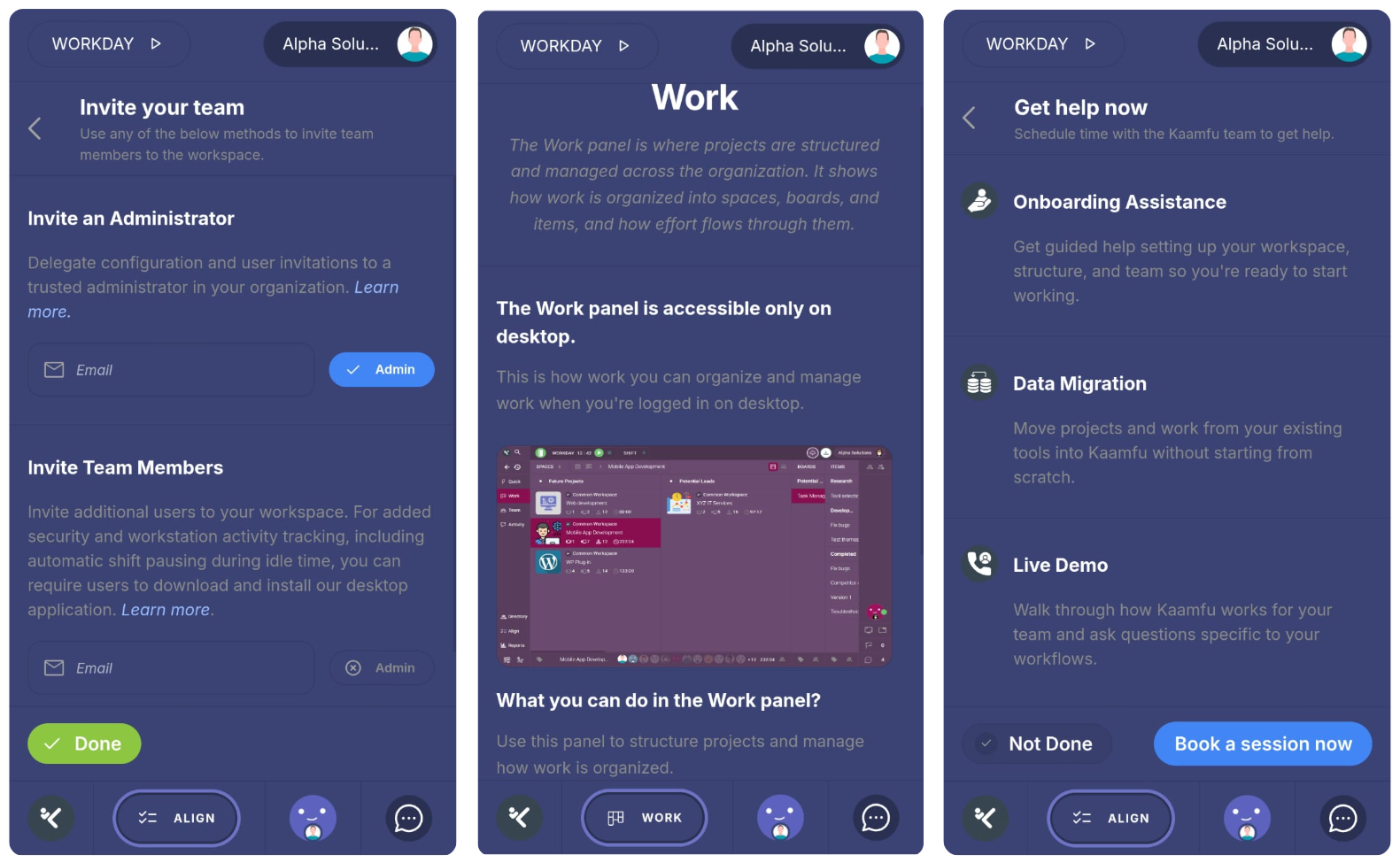
The mobile Align flow walks users through a sequence of orientation steps:
- Personal Profile
Review personal information - Organization Profile
Review organization details - Invite
Invite members as admins or team members - Know What You Get from Kaamfu
Watch video tutorials explaining Kaamfu - Build Projects
View a glimpse of the Work panel where projects are created - Get Help Now
Book a session with the Kaamfu support team
Personal and organization details are view-only for now. Editing capabilities will be expanded in future releases.
Guided Tour
The mobile website includes a guided tour to help users quickly understand the parts of the interface that matter most.
How it works
As soon as a user signs up and enters the mobile website, a welcome screen is shown to help them get oriented.
The welcome experience includes:
- Shortcut to the Invite step
- Shortcut to Get Help in Align
- A Start tour button
Clicking Start tour launches a guided walkthrough that highlights key areas of the mobile interface, including:
- Starting the workday
- Starting a shift
- Accessing Align
The guided tour is flexible by design. Users can exit the tour at any step without losing access to the interface. At any time, the tour can be restarted from the top-right profile menu, making it easy to revisit guidance whenever needed.