



 Export PDF
SUMMARY
Teams struggle with fragmented updates, scattered conversations, and missed notifications across projects. Important signals get buried, while low priority noise consumes attention and slows execution. The structural shift is toward centralized, filterable work streams that connect tasks, conversations, and alerts in one operational layer. The Activity Panel in Kaamfu turns notifications into structured workflow visibility instead of passive updates.
IN BRIEF
-
Fragmented work signals – Teams receive updates across tasks, chats, and alerts without a unified operational view.
-
Manual update chasing – Managers and operators check multiple areas daily to understand what actually changed.
-
Context gets lost – Notifications lack structured visibility, so conversations disconnect from execution.
-
Centralized activity stream – The Activity Panel consolidates tasks, conversations, filters, and notifications into a structured feed.
-
Kaamfu as control layer – Kaamfu turns raw updates into actionable visibility through the Activity Panel and Activity Queue.
Work today generates constant updates, conversations, and task changes across teams. Teams often lose time and attention to context switching between Boards, Spaces, and communication channels. This fragmentation makes it easy to miss priorities or overlook critical updates, leading to delays and misaligned work.
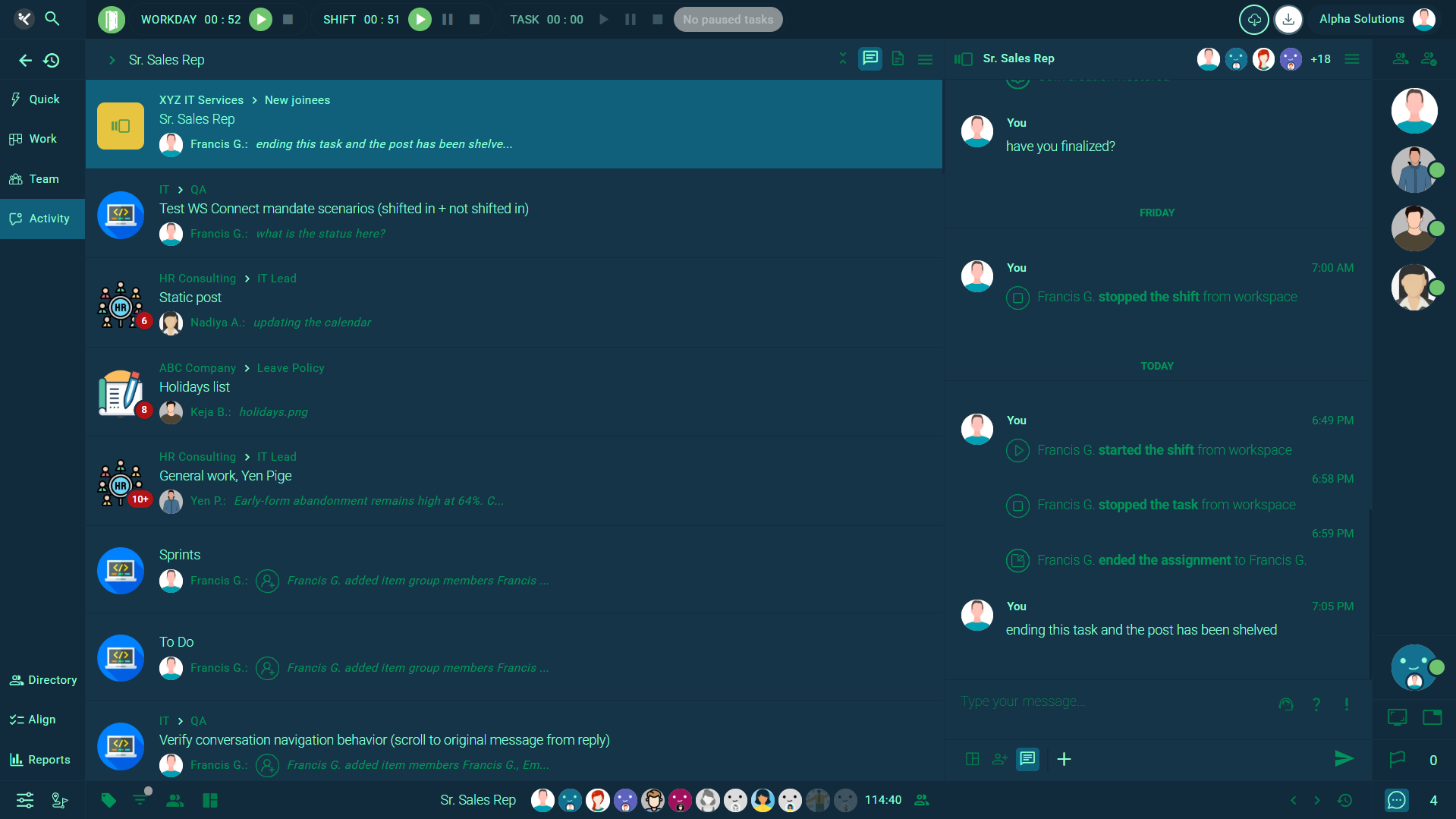
Kaamfu addresses this challenge with the Activity Panel, a unified workspace feed that brings all relevant work activity into one place. Instead of navigating through multiple screens, users can track conversations, task updates, and notifications from a central hub. The panel’s design helps reduce cognitive load and focus on what matters.
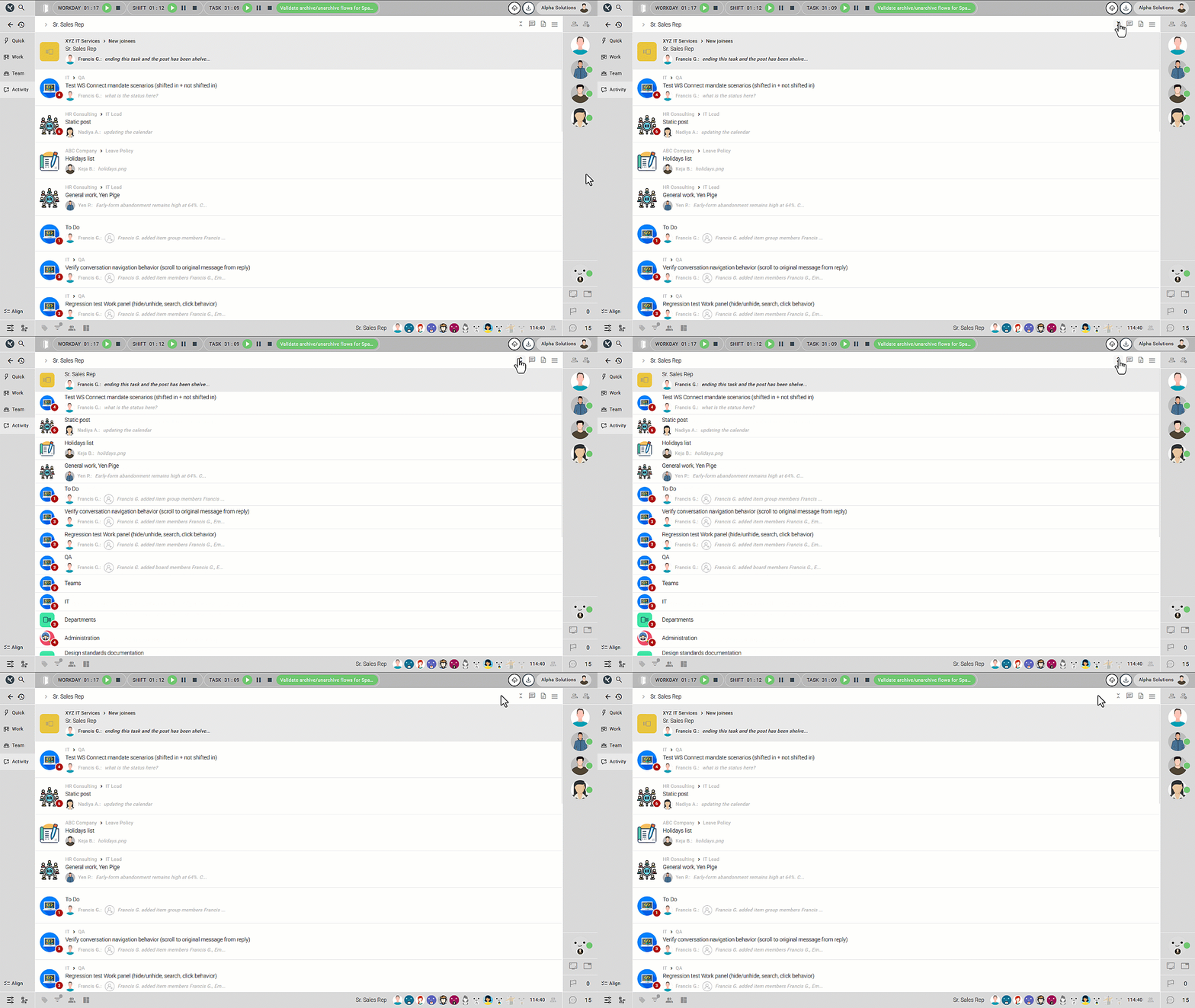
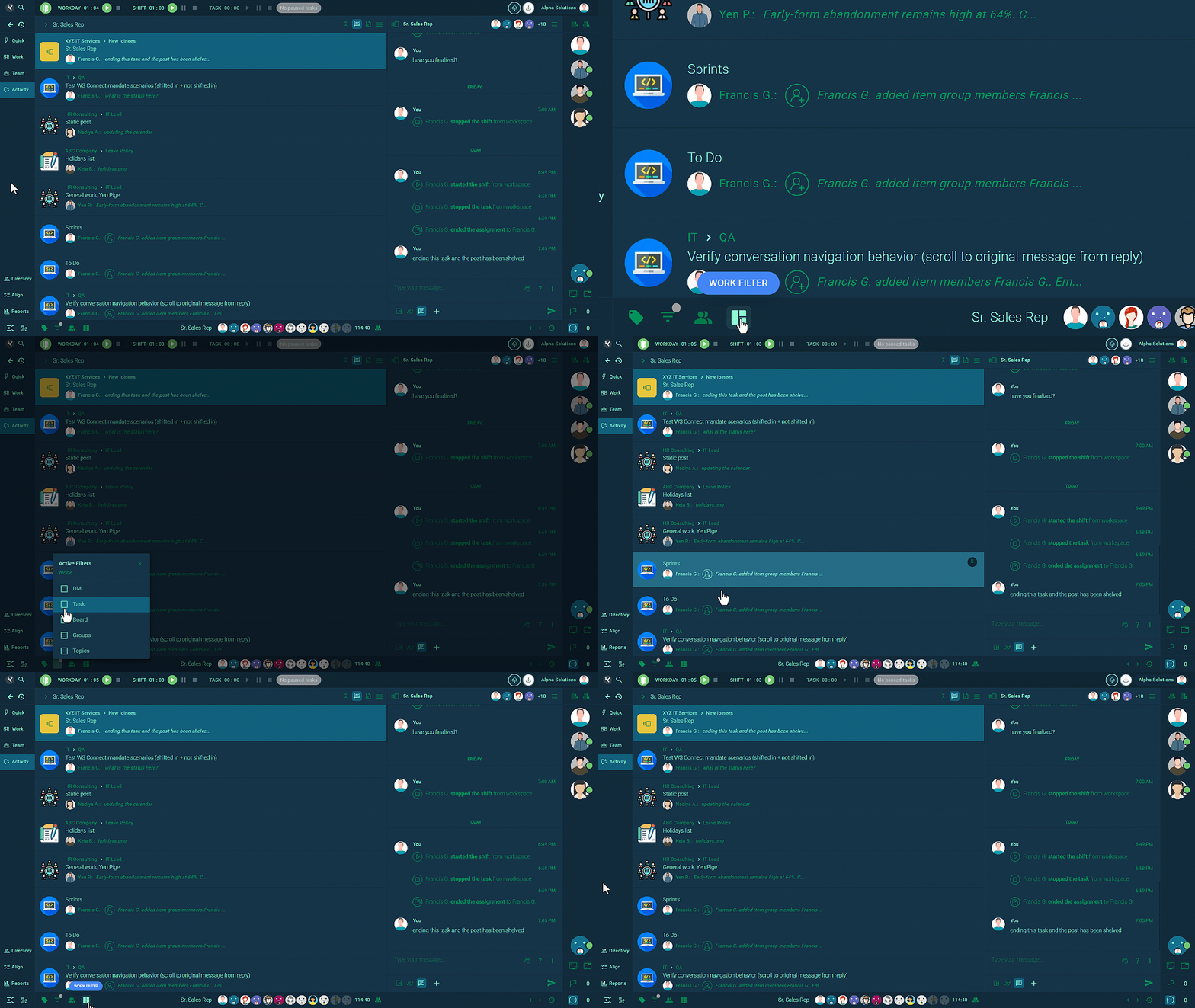
Beyond simple visibility, Kaamfu’s Activity Panel supports different view modes and filters that allow users to tailor their experience. By enabling focused workflows and reducing noise, it reshapes how teams interact with work updates across the platform.
Why Centralized Activity Matters
A fragmented activity experience forces users to hunt for updates across Boards, items, and messages. This results in slow response times and information gaps that impact decision making. A central view that consolidates updates ensures teams can see what’s happening without switching contexts repeatedly.
Kaamfu’s Activity Panel shows all updates and conversations you are involved in, including tasks, boards, spaces, groups, and direct messages. Activity badges alert you to new activity so nothing slips through the cracks, helping teams maintain momentum and visibility into work progress.
The panel also integrates task controls such as start, pause, resume, and stop directly within the feed. This eliminates the need to open separate screens to manage work, keeping actions and updates tightly connected.
Activity Panel and Activity Queue: Closing the Loop on Notifications
The Activity Panel and the Activity Queue work together as a single visibility system. The Queue surfaces what requires attention. The Panel provides the operational history behind it.
When a notification appears, it is not isolated. It connects directly to the broader activity stream. This ensures that alerts are not treated as standalone interruptions but as part of structured workflow movement.
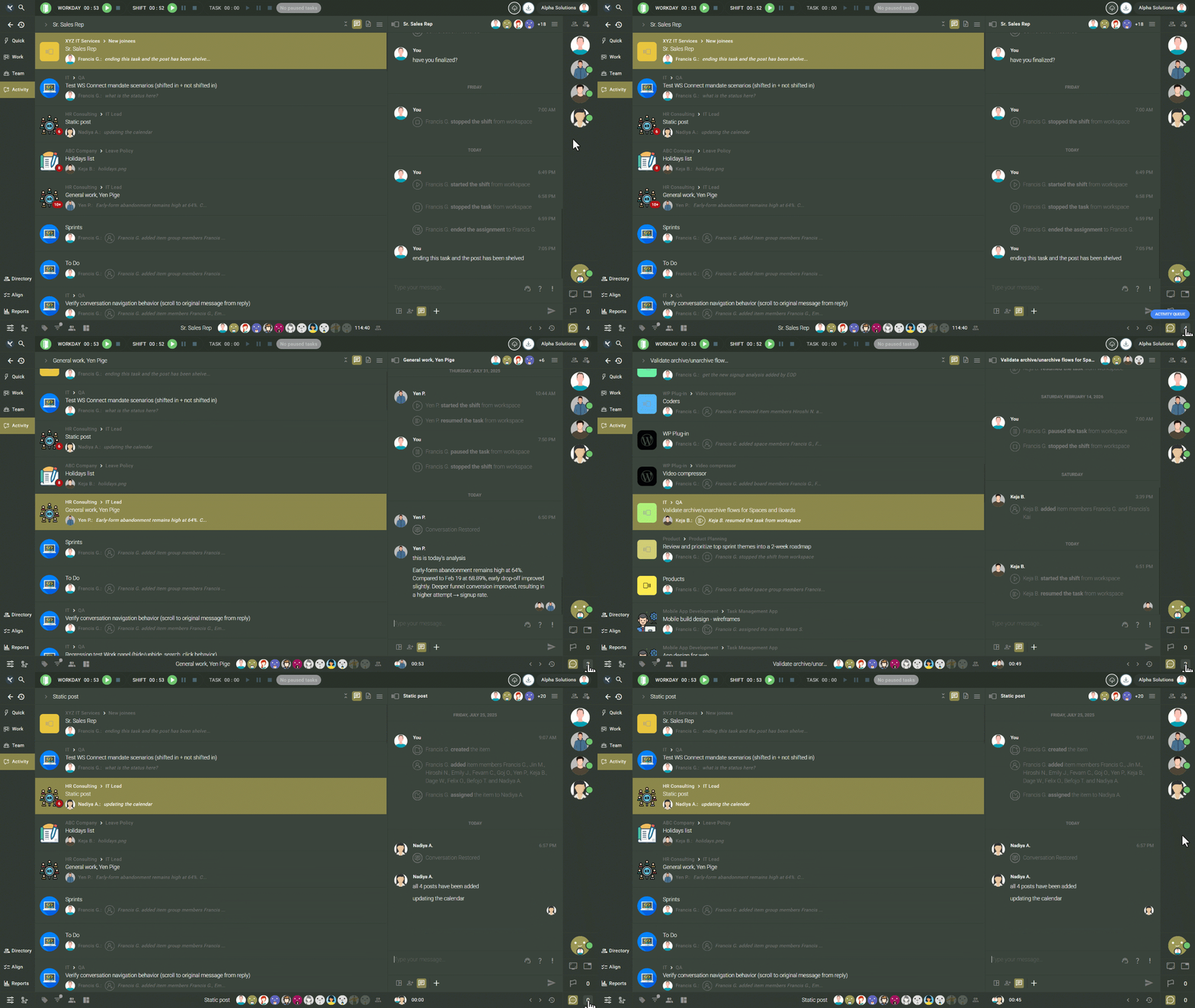
This relationship solves a common breakdown. Many systems notify, but they do not contextualize. Teams click alerts, respond quickly, and move on without understanding the surrounding activity. With the Activity Panel connected to the Activity Queue, every notification sits inside visible operational context.
That connection closes the loop between awareness and action.
Integrating the Activity Panel Into Daily Workflows
The real value of the Activity Panel appears when it becomes the starting point of daily execution. Instead of navigating multiple areas, operators begin with the activity stream and work outward.
This approach changes routine behavior. Morning reviews become structured scans of filtered activity. Managers monitor movement rather than request status updates. Contributors stay aligned because conversations and task changes remain visible in one place.
The shift is subtle but powerful. When the activity stream becomes the center of daily workflow, teams spend less time searching and more time executing.
Over time, visibility compounds. Small improvements in awareness lead to fewer missed tasks, faster decisions, and tighter coordination.