



Kaamfu can now be accessed directly from a mobile browser, making it possible to enter the platform the moment you discover it or need it. This applies equally to first-time users signing up and to existing users returning to their workspace. There is no app to install, no forced handoff to desktop, and no waiting. The mobile website is designed to get you inside Kaamfu immediately.
Why This Matters
The way users first enter Kaamfu directly affects whether momentum builds or stalls. Mobile access removes unnecessary friction at the very start of that journey.
- First Access: Most users discover Kaamfu on mobile, and now they can enter immediately instead of waiting for desktop access.
- Zero Friction: No app downloads, no device switching, and no delays just to get started.
- Instant Action: Users can sign up, sign in, and begin their workday the moment the need arises.
- Natural Onboarding: Setup and exploration often happen in short windows, and mobile fits those moments.
- Real Context: Work doesn’t always begin at a desk, and Kaamfu now supports where it actually starts.
By making access immediate and simple, Kaamfu ensures that intent turns into action without unnecessary barriers.
For New Users
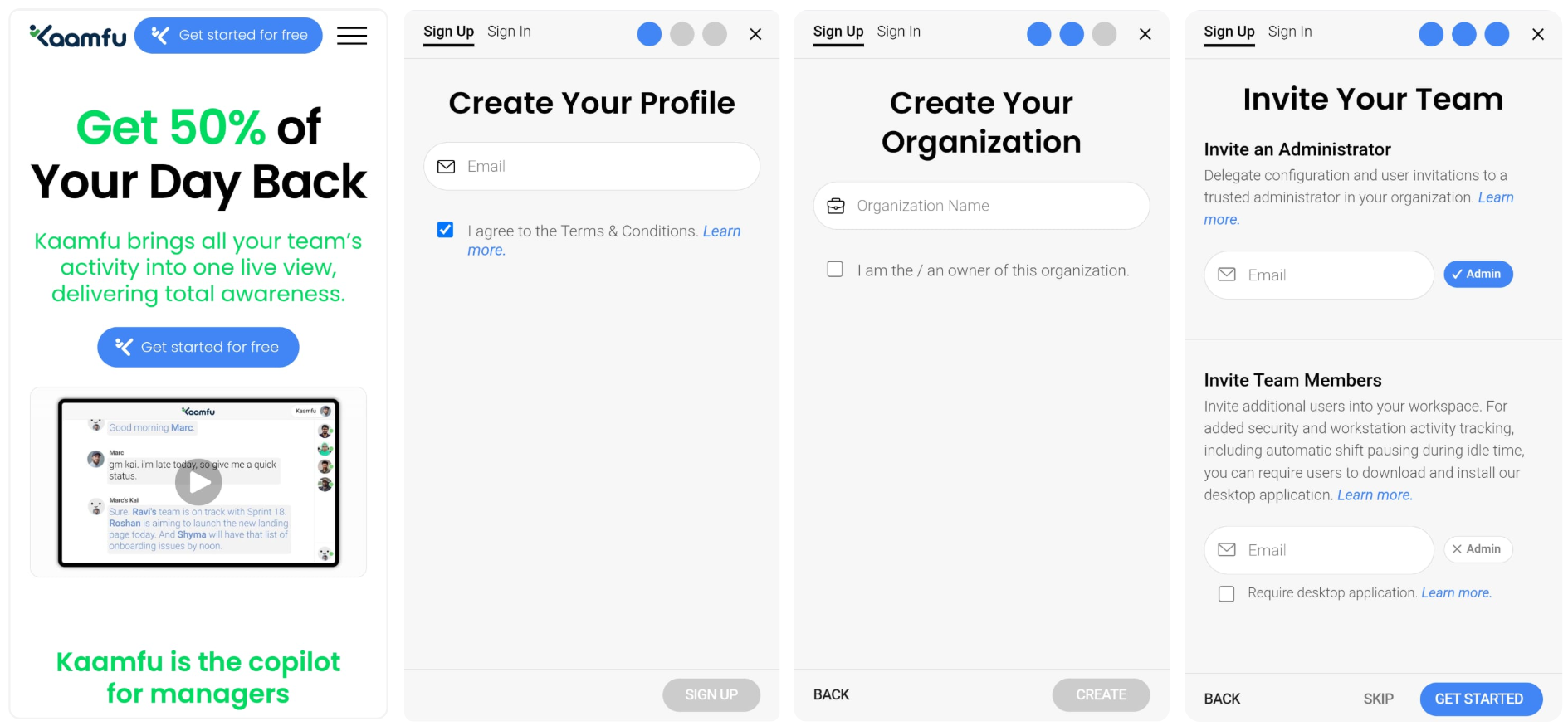
If you are discovering Kaamfu for the first time, the mobile website allows you to sign up and enter the platform in one continuous flow.
How it works
The signup process on mobile follows a simple, guided sequence:
- Open Kaamfu in your mobile browser
- Click Get started for free
- The signup form opens
- Complete the signup process
- You are taken directly into the Kaamfu mobile website
From this point, you can begin onboarding and take your first actions without needing desktop access.
For existing Kaamfu users
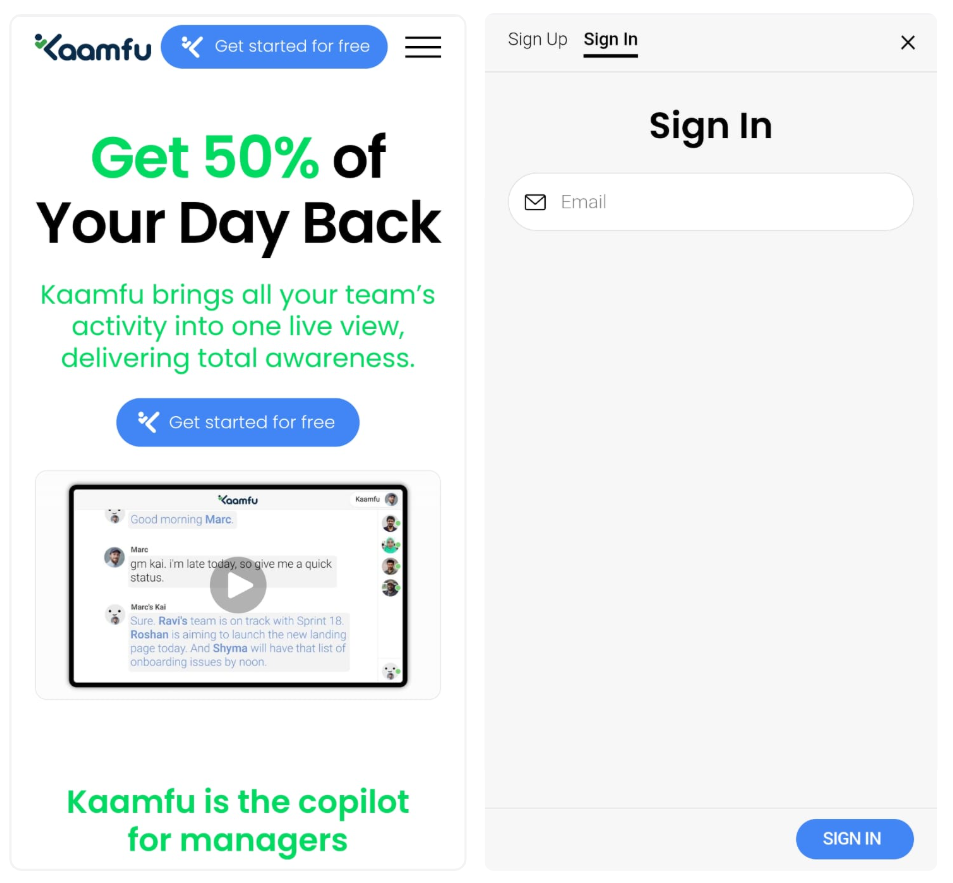
If you already have a Kaamfu account, you can sign in from mobile just as easily.
How it works
Returning users follow a familiar sign-in flow:
- Open Kaamfu in your mobile browser
- Click Get started for free
- Click Sign in
- Enter your registered email address
- You are taken directly into the Kaamfu mobile website
Your account opens in the mobile experience with your context preserved.
What You Can Do After You Enter
Once inside the mobile website, both new and existing users can immediately begin moving forward.
This includes the ability to:
- Access the mobile version of Align
- Start the workday
- Start a shift
- Book onboarding assistance with the Kaamfu support team
These actions remove early-stage friction and prevent delays caused by waiting for desktop access.
The Align panel shows key setup steps
Both new and existing users are introduced to a mini version of Align (the organization setup panel) on mobile. This mobile version is designed to orient users and support onboarding rather than full configuration.
It allows users to:
- Review personal profile information
- Review organization details
- Invite team members and administrators
- Understand what Kaamfu provides
- Book a session with the Kaamfu support team
Editing personal or organization details is not available yet on mobile. Full setup capabilities will be introduced in upcoming releases.