As your organization grows inside Kaamfu, your workspace becomes more structured. You create Space Groups for departments or clients. Inside them live Spaces, Board Groups, Boards, Item Groups, Items, Topics, and Notes. Alongside this structure, every member generates live operational data tied to their work.
Structure creates clarity.
Search creates speed.
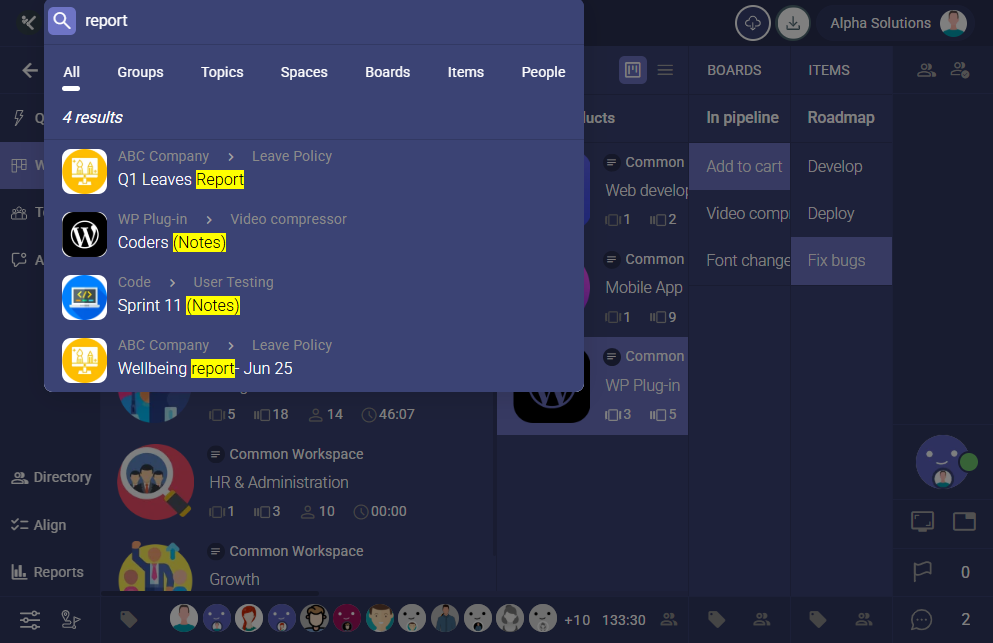
The Global Search Panel is designed to help you instantly locate and access anything across your workspace from one unified entry point. Whether you are looking for a task, a discussion, a person, or a keyword buried inside documentation, search brings it to you within seconds.
Smart Tabs That Organize Every Result
When you start typing in the Global Search Panel, results automatically populate and are grouped into clear tabs.
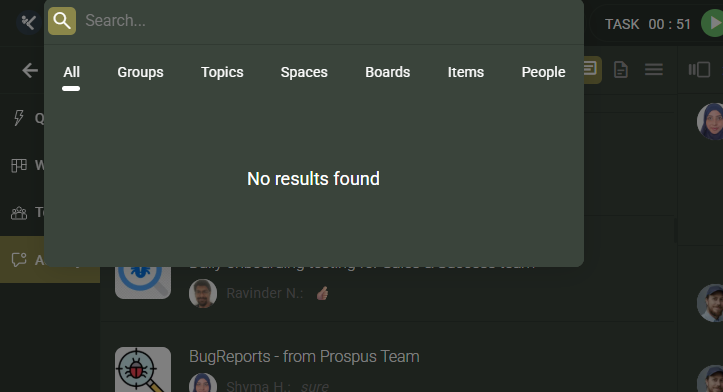
The panel displays matching results across:
-
All
-
Topics
-
Groups
-
Spaces
-
Boards
-
Items
-
People
Each tab filters results by object type, making it easy to narrow your focus immediately.
The All tab provides a consolidated overview, and People appear first. In real work environments, users often begin by searching for a person before navigating to their projects or responsibilities. The layout reflects that practical behavior.
Direct Access to Member Work Data from Search
Searching for a person does more than just locate their name.
When a member appears in the search results, you can right click directly on their avatar inside the panel. This opens the Universal Right Click Menu without requiring you to navigate to the Team panel.
From there, you can instantly access their screenshots, AI generated Story, Work Journal, backlog, current shift details, and task activity.
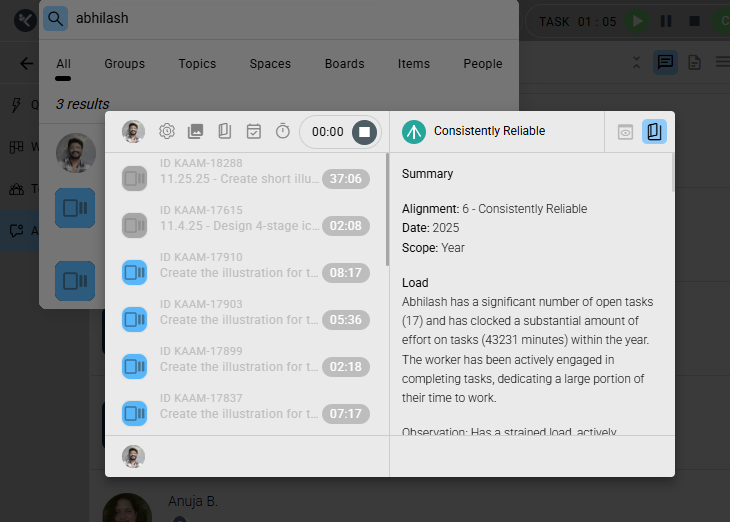
This allows you to move from search to operational visibility in one step. Instead of browsing through panels, you can immediately review what a member is working on and how their time is being spent.
Search becomes an execution shortcut, not just a navigation tool.
Search That Includes Notes and Written Context
The Global Search Panel does not limit itself to object names.
It also searches inside Notes attached to Spaces, Boards, and Items. If a keyword appears within written documentation, the related object will surface in the results.
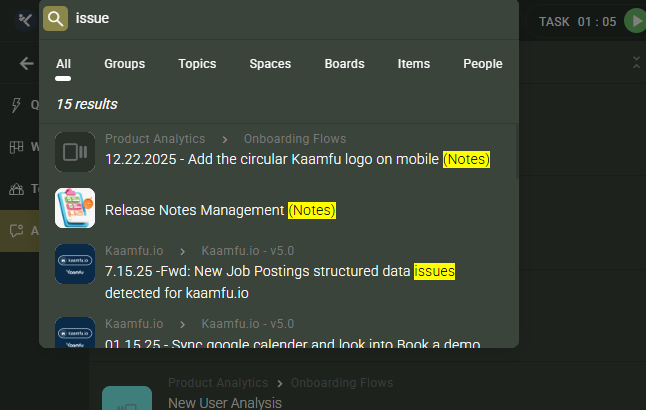
This is especially useful when you remember a phrase but not the exact object title. Instead of manually opening multiple Boards and scanning content, you can retrieve the right object by typing a single keyword.
Search understands both structure and content, which makes it powerful in complex work environments.
Search by Unique Object ID
Every Space, Board, and Item in Kaamfu has a unique ID. These IDs are fully searchable within the Global Search Panel.
If someone shares an object ID with you, you can paste it directly into search and navigate to the exact object instantly. This is particularly useful in large organizations where object names may be similar but IDs remain precise and unique.
It removes ambiguity and ensures accurate retrieval.
Built for Structured Work at Scale
Kaamfu operates as a structured Work Control System. Every object contains layered context including conversations, assignments, time tracking, documentation, and history.
As your workspace expands, manual navigation through hierarchy levels becomes inefficient. The Global Search Panel ensures that structure does not slow you down. It allows you to jump directly to the exact Space, Board, Item, Topic, or person you need without breaking flow.
This preserves momentum and reduces friction across daily operations.
How It Works
Using the Global Search Panel is straightforward:
-
Click the Search icon in the top navigation bar.
-
Start typing a keyword, name, or object ID.
-
Results populate instantly across relevant tabs.
-
Switch between tabs to refine by object type if needed.
-
Click a result to open it, or right click a member’s avatar to access operational controls.
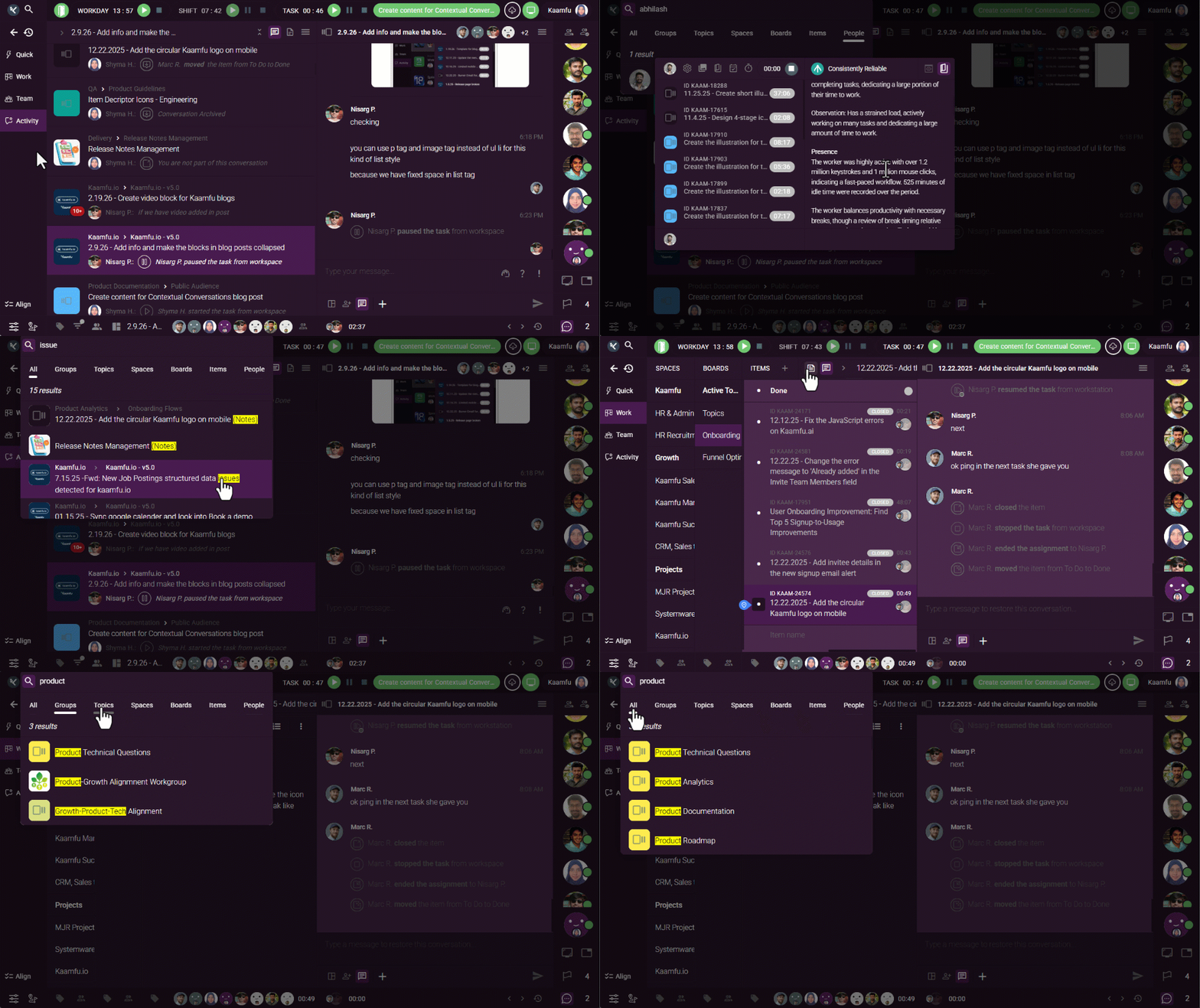
The interaction is immediate and designed to support fast decision making.
Why This Matters
In high performance teams, retrieval speed directly impacts execution speed.
The Global Search Panel provides:
-
Workspace wide visibility across all structural levels
-
Content level discovery through Notes search
-
Instant access to member level work intelligence
-
Direct navigation using unique object IDs
-
Reduced time spent browsing through hierarchy
As your organization scales, the ability to find anything within seconds becomes essential. The Global Search Panel ensures that no task, discussion, document, or person is ever more than a few keystrokes away.




 Export PDF